ccmux: a cross-device tmux manager for AI coding agents
I kept starting Claude Code on one machine and losing track of it. So I built a way to run all of them from anywhere - including my phone.
On a normal day I have three or four coding agents running. Claude Code on the Mac mini at my desk, Codex on the laptop, maybe a Cursor agent off chewing on something in the background. Each one starts where I started it and then stays there. The agent is happy. I’m the problem - I walk away from the desk and have no clean way to check on the thing from my phone, or pick it up from the couch on my laptop. More than once I’ve come back hours later to a Claude that had been parked on a yes/no question the entire time, waiting for me like a patient dog.
The sessions themselves were never the issue. tmux already keeps them alive when you disconnect. The issue was that “which machine, which session, is it done, is it stuck” lived entirely in my head, and my head is not a good database.
So I built ccmux. The one-line version: it’s a tmux session manager, except it’s built for coding agents and it works across every machine you own. tmux is the part that keeps the session running; ccmux is the part that lets you see all of them at once, on any device, and drop into the one that needs you. No session names to memorize, no claude --resume <hash>, no SSH-then-attach gymnastics.

One dashboard, five agent sessions across four projects, color-coded by state. Attach to one, then tour the rest.
The loop
Here’s the thing it was built to do, start to finish.
It’s 11pm. The session I started this morning on the Mac mini at my desk is still going - it’s plugged in, and the daemon held a caffeinate lock all day so it never napped mid-thought. My laptop’s been shut for hours, but that doesn’t matter, because the session was never on it. My phone buzzes: Claude has a question. I tap the notification, and I’m attached - to the same session, on the same machine, from bed. I answer, hit Ctrl-b d, lock the phone.
Next morning on the train I open the laptop, type ccmux, and the session is right there, exactly where I left it. Three devices, and not one command typed in between. That was the thing I wanted.
The dashboard
Every session you’ve got running, wherever it’s running, in one list.

Sessions color-coded by state - active, idle, needs your input. The Devices panel lists every other machine on the tailnet. The usage panel tracks Claude's 5-hour quota.
Rows are color-coded by what the agent is doing: green when it’s actively generating, yellow when it’s idle, red when it has printed a prompt and gone quiet, which is ccmux’s way of saying this one wants you. The Devices panel down the side shows every other machine on my tailnet that’s running ccmux, so my laptop knows about my Mac mini’s sessions and vice versa. And because I’m on Claude often enough to bump into the 5-hour limit, there’s a panel that tallies the quota and per-agent prompt counts. It all updates live as sessions move between states.
How it actually works
The design rule I kept coming back to: tmux is the database, ccmux is the view. I didn’t want to reinvent session persistence, and I didn’t want a session to be trapped inside ccmux. If ccmux vanished tomorrow, every session would still be a plain tmux session you could attach to by hand.
So there are two pieces, and both run on every machine:
ccmuxis the terminal UI - the dashboard you actually look at. It’s a Go program built on Charm’s Bubble Tea stack.ccmuxdis a small background daemon. It polls tmux every couple of seconds, works out what state each session is in, holds thecaffeinatelock so the machine doesn’t nap mid-thought, and exposes everything over a little HTTP API on the tailnet.
The cross-device part rides on Tailscale. Every machine I own is already on my tailnet, which means they can all reach each other directly, encrypted, with no port forwarding and no exposed SSH. ccmux just reads the other daemons over that network and folds their sessions into one dashboard. When I attach, it’s a real attach - SSH from the laptop, Mosh from the phone, into the actual tmux session on the actual host.
The notifications are almost embarrassingly low-tech, which is why they’re reliable. When the daemon notices a session has printed a prompt and then gone quiet for a few seconds, it figures the agent is waiting and rings the terminal bell - a single \a byte. Every halfway-decent iOS terminal already knows how to turn a bell into a push notification. So I get a buzz on my phone without ccmux having to run a cloud service, hold a push token, or know anything about Apple. It just rings a bell and lets the terminal do the rest.

Press Enter on a row to attach to the agent running inside tmux. Ctrl-b d to drop back to the dashboard.
It speaks more than one agent’s dialect, too. Claude Code is the default and the best-supported, but Codex, Cursor, Antigravity, Pi, and Grok all work - each project remembers which agent it uses, and the dashboard tags the odd ones out so a [codex] row stands out from the Claudes. Runs on macOS and Linux, and on Windows under WSL2. Install is one line of Homebrew and a setup wizard that checks for tmux, Mosh, Tailscale, and the agent CLIs, then offers to install whatever’s missing.
brew install skzv/tap/ccmux
ccmux setup
The phone is the whole point
I could have stopped at “nice cross-machine dashboard for my desk and my laptop.” But the feature I actually wanted, the one that started this, was running the thing from my phone. So the TUI collapses to a single scrollable column when it notices it’s in a narrow terminal, and every key works the same as on the desktop.

The same TUI, same keys, in a 430-pixel-wide terminal. Attaches over Mosh.
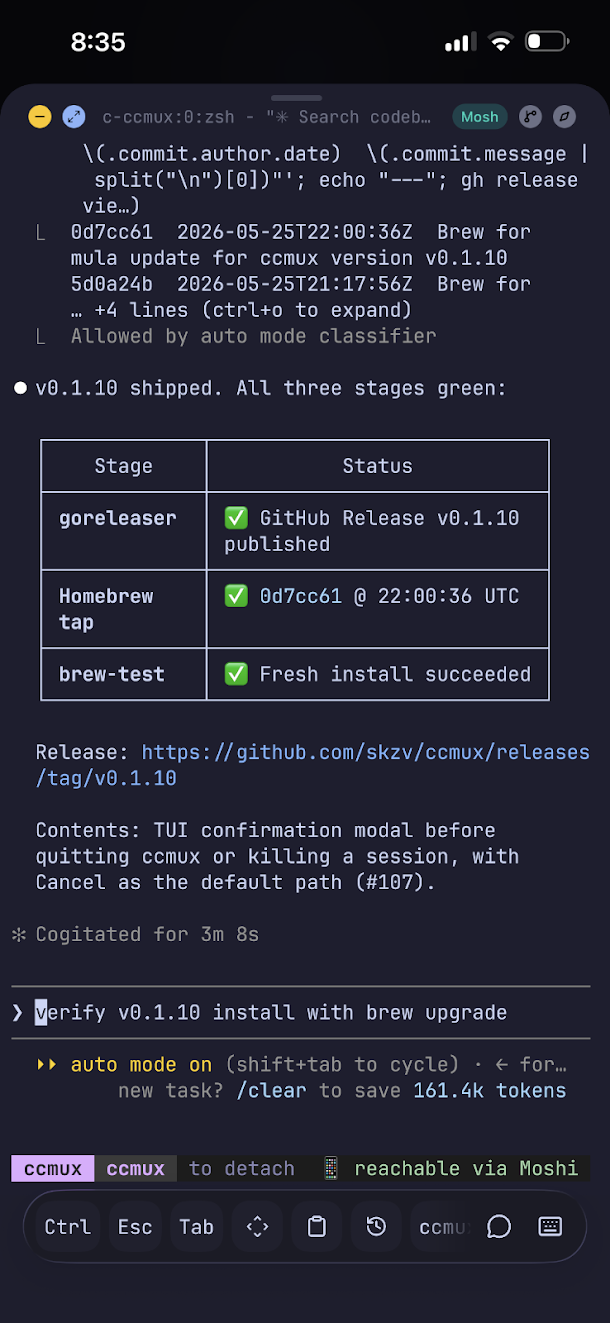
Mosh is what makes the phone actually usable. A plain SSH session dies the moment your phone switches from wifi to cell, or you lock the screen, or you walk out of range. Mosh shrugs all of that off - it survives roaming and sleep, so I can detach on the train, drop into a tunnel, and reattach two stops later to the exact same prompt. Here it is running inside Moshi, a Mosh client for iOS that makes the connection painless to set up:

ccmux in a real iPhone terminal, watching a release go out.
When a terminal on a phone isn’t enough
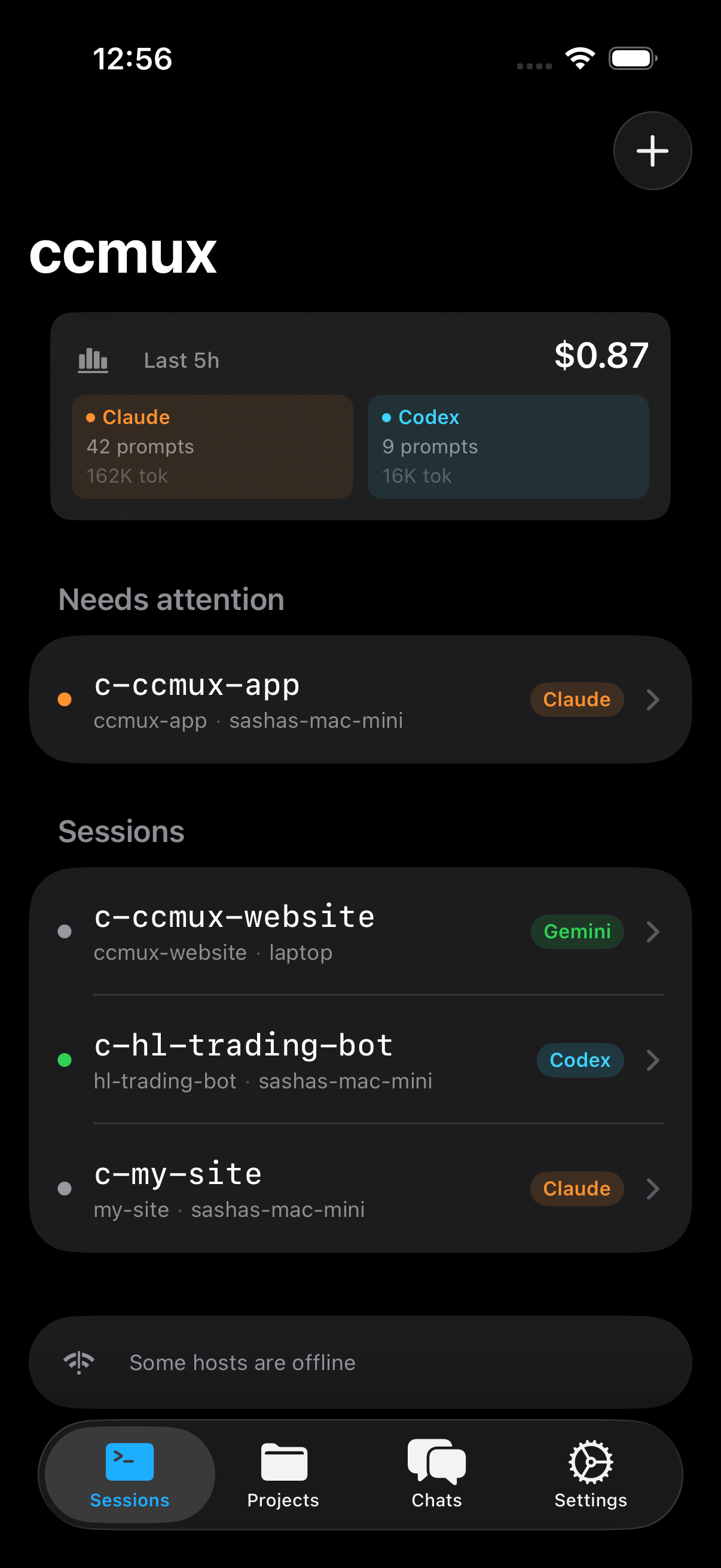
A TUI in a phone terminal is great for power users and slightly hostile to everyone else, including me at 7am. So I’m building native apps that talk to the same daemon over the same tailnet, with no cloud in the middle. The iOS one is furthest along.
The iOS app: a live dashboard, and a real interactive terminal attached to the tmux session over a WebSocket bridge.
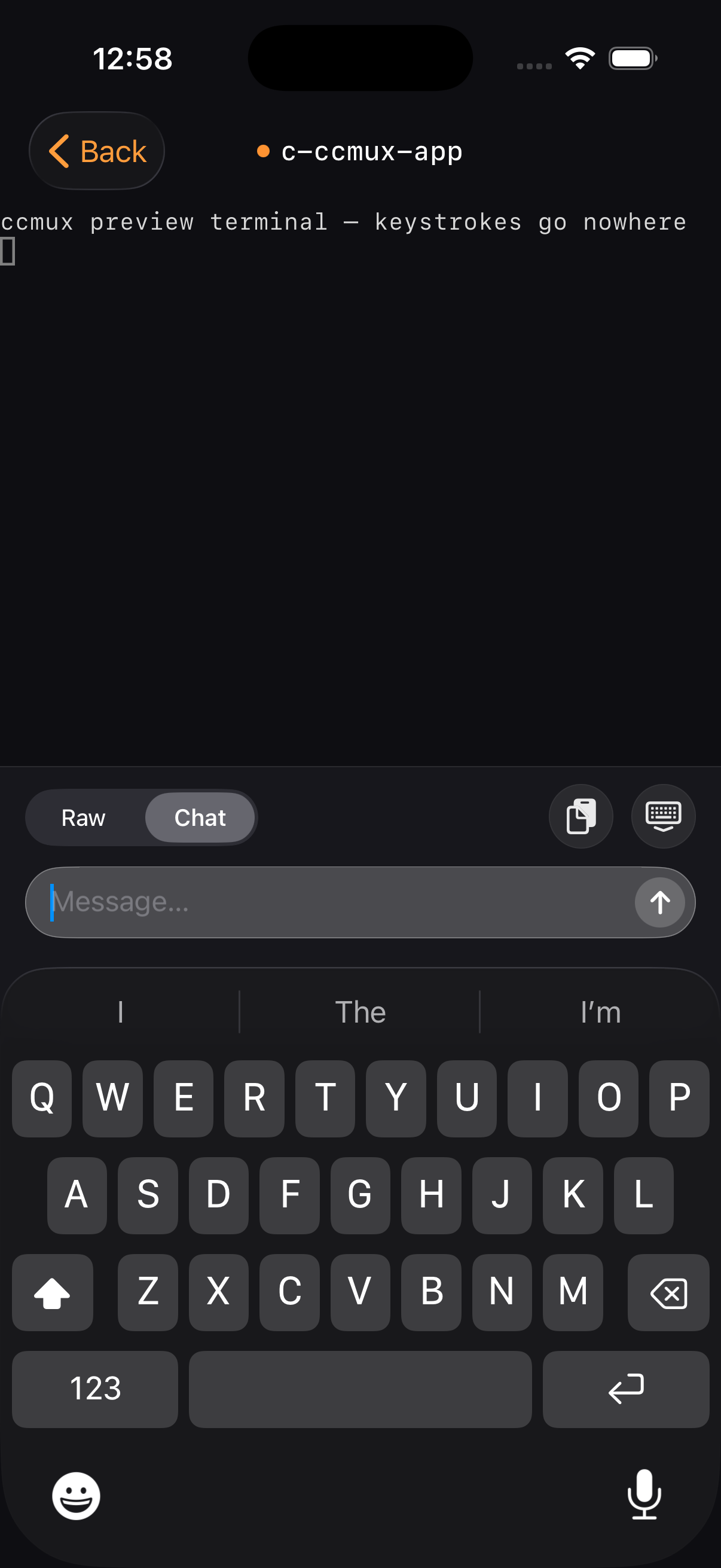
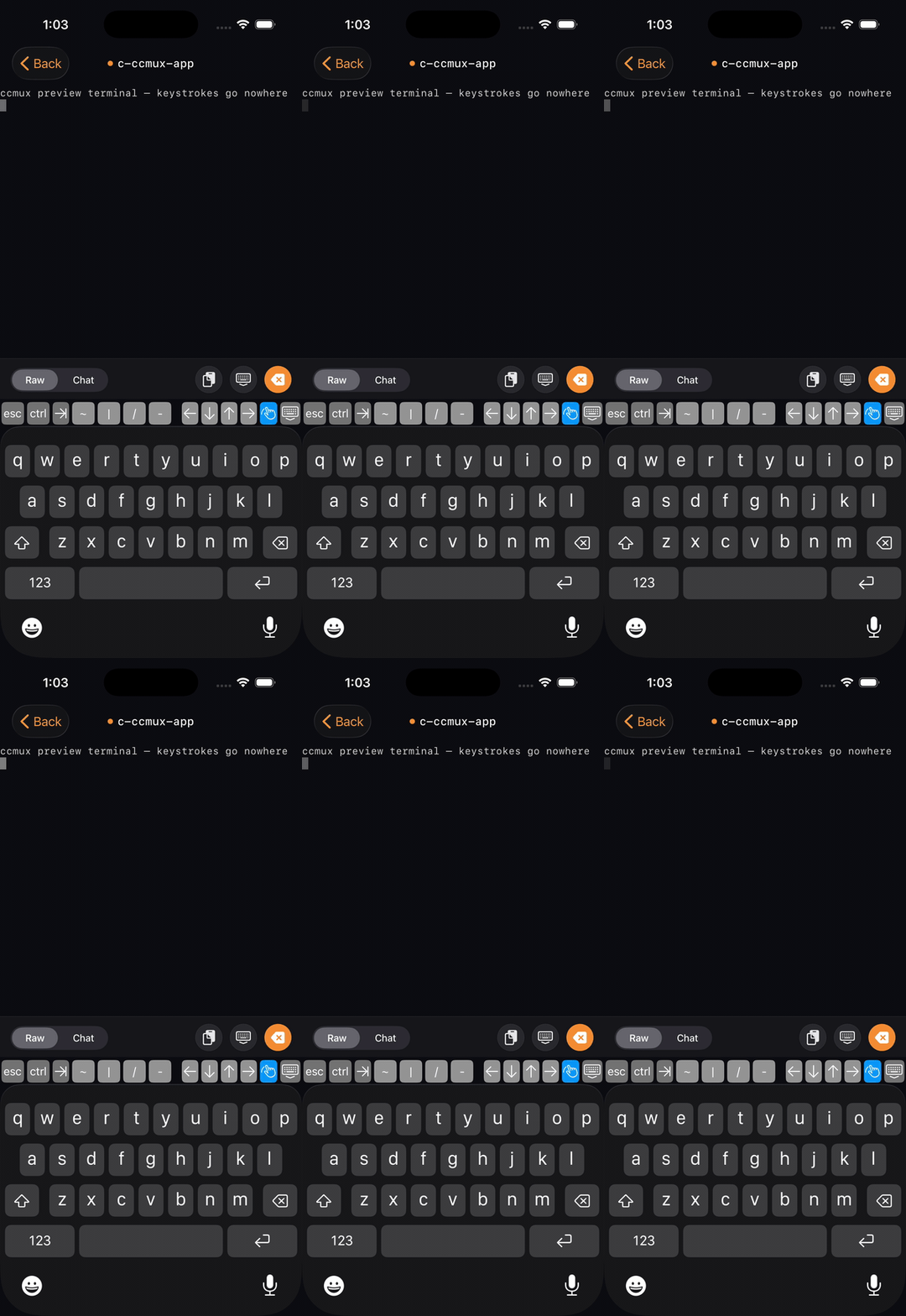
The app has a trick I’m fond of. When you’re typing into an agent you’re switching between two completely different modes of input: hammering control keys and arrow keys to drive the thing, and writing a paragraph of careful instructions. A phone keyboard is built for the second and awful at the first. So there’s a toggle. Raw mode pipes every keystroke straight to the terminal with no autocorrect and a fast backspace. Chat mode swaps in a normal iMessage-style composer, autocorrect and all, for when you’re actually writing a prompt.

Raw mode for driving the agent, Chat mode for writing to it.
You pair a phone by running ccmux pair on the Mac, which throws up a QR code - scan it and you’re done, no IP addresses to copy around. An Android port is coming up behind it, mostly so I can eventually stop being smug about owning an iPhone.
Where it’s at
ccmux is alpha. The core loop - attach, start, kill, notes, the daemon, the phone - all works end to end, and I use it every day, including to build ccmux itself, which is either a good sign or a circular one. There are rough edges and a roadmap to match, plus bugs I haven’t met yet.
The source is up - it’s FSL-1.1-MIT, which means source-available now and plain MIT in two years - and there’s a site with the full tour if you want to look before installing. If you run more than one coding agent and you’ve ever lost one, you might like it.
The funny part is how little of this is new technology. tmux has kept sessions alive since 2007. SSH goes back to the 90s. Mosh and Tailscale and the terminal bell have all been sitting right there. All ccmux really does is point them at the specific, very 2026 problem of having half a dozen robots writing code for you across half a dozen machines, and getting a tap on the shoulder when one of them needs a hand. None of it is new. I just got tired enough of losing track of my robots to wire the old parts together.